Build and use apps
Improve an app
Ask for focused changes, point at the interface, use images, and correct results.
Ask for the result you want
You can request a change in the same language you would use with a colleague:
- “Put low-stock items at the top.”
- “Make the main action easier to notice.”
- “Add a monthly total without changing the entry form.”
- “This page feels too busy. Group related information.”
Describe what should be better and why. You do not need to prescribe the technical solution.
Point at the exact part
When words such as “this,” “that button,” or “the heading” might be ambiguous:
Select Point at UI below the message box.
Select the visible part of the app you mean. Press Esc to cancel.
Check the Selected label above the composer.
Describe the change and send it.
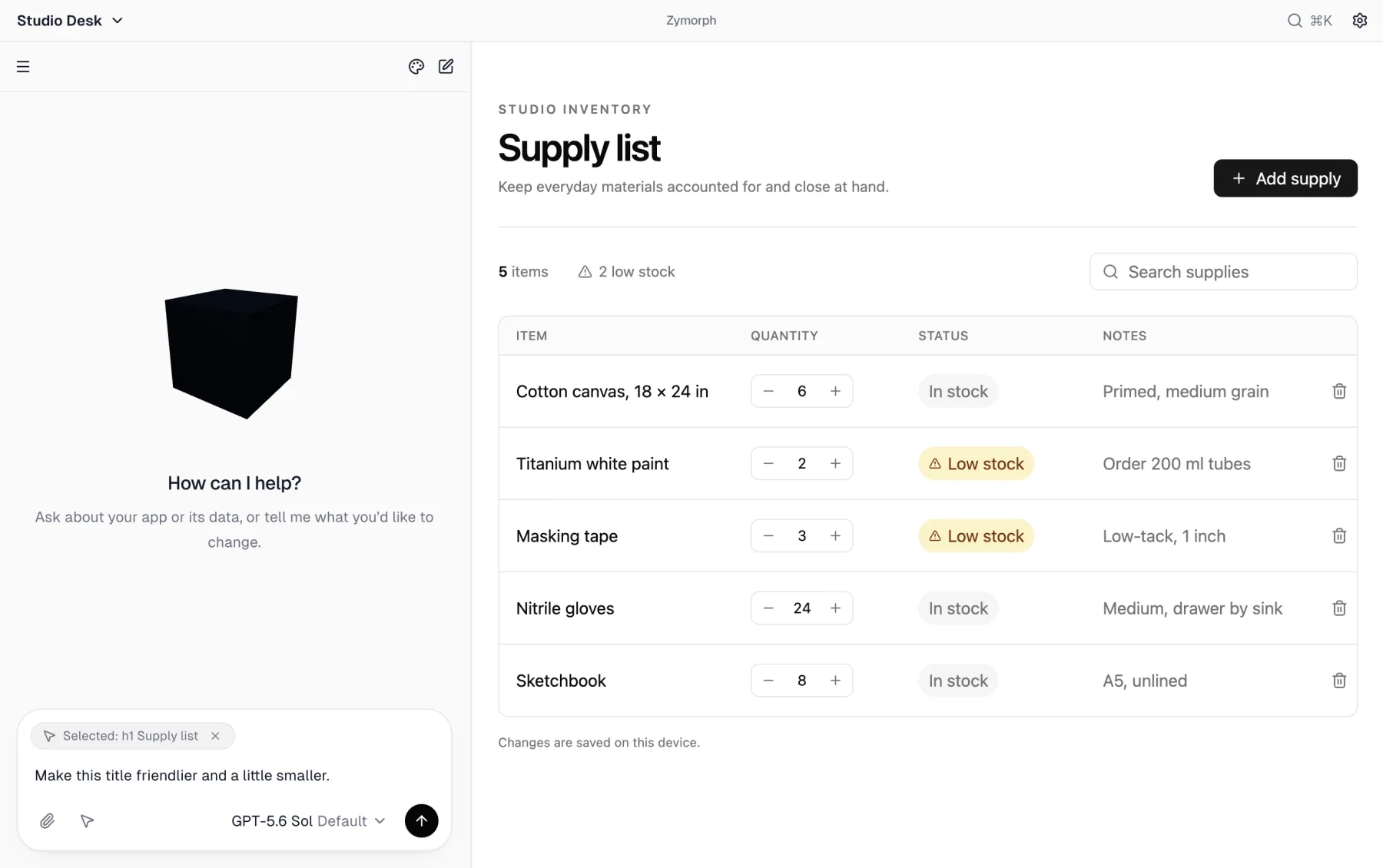 The selection travels with the next request; remove it with the × if you change your mind.
Attach an image
Use the paperclip when a screenshot, sketch, or visual reference will communicate the result more clearly.
- Attach only images you are comfortable sending to the selected model provider.
- Remove private names, account details, or other sensitive information first.
- Explain which part of the image matters. Do not assume Zymorph knows what you want copied or changed.
Stop a request
While Zymorph is working, Send becomes Stop. Stop when:
- you sent the wrong request;
- the request includes information you did not intend to send; or
- you want to rethink the change before it continues.
Stopping interrupts the current work. It does not automatically undo changes already completed. Try the app and ask Zymorph to correct anything that was left incomplete.
Correct a result
If the result is wrong, say what you observed:
- “The quantity saves, but it resets after reopening the app.”
- “The new filter hides low-stock items instead of showing only them.”
- “Keep the current data, but restore the simpler layout.”
Specific observations are more useful than “it does not work.” Include the action you took, what you expected, and what happened.
Use a new conversation when it helps
Start a new chat for a distinct task or a fresh line of thought. The app stays the same. Earlier conversations remain in the conversation drawer.
A new conversation is useful when the current thread is long or when you want to separate a redesign from a data question. It is not an undo action.
Before a large experiment
Create a Recovery point before a major redesign or data-changing experiment. A source-only version is not the same as complete Recovery. See Recovery and source versions.