Settings and safety
Model providers
Connect your own supported subscription or API key, then choose a model responsibly.
Why a model is required
The model helps Zymorph understand your request and work on the app. Without a connected model, you can use an existing local app, but you cannot ask Zymorph to create or change it.
Open Settings → Model providers to connect one.
Subscription sign-in
Under Available subscriptions, select Sign in for a supported provider and complete its flow. This uses an existing provider plan when that provider supports subscription sign-in.
A successful sign-in appears under Connected and makes compatible models available in the composer.
Subscription access, model limits, privacy, and any charges come from the provider. Only subscriptions shown under Available subscriptions can be connected this way.
Claude usage through Zymorph may incur additional per-token charges from your Claude usage credits. Your subscription’s included allowance may not cover this usage. Review Claude usage settings and Anthropic’s current conditions before using it. An Anthropic API key is a separate option billed through your Anthropic Console account at API rates.
Bring your own key (BYOK)
BYOK uses an API key created in your provider account.
- In Model providers, find API keys.
- Select Add API key.
- Choose the provider and paste its API key.
- Select Save key.
- Open the model picker in the composer and choose a compatible model.
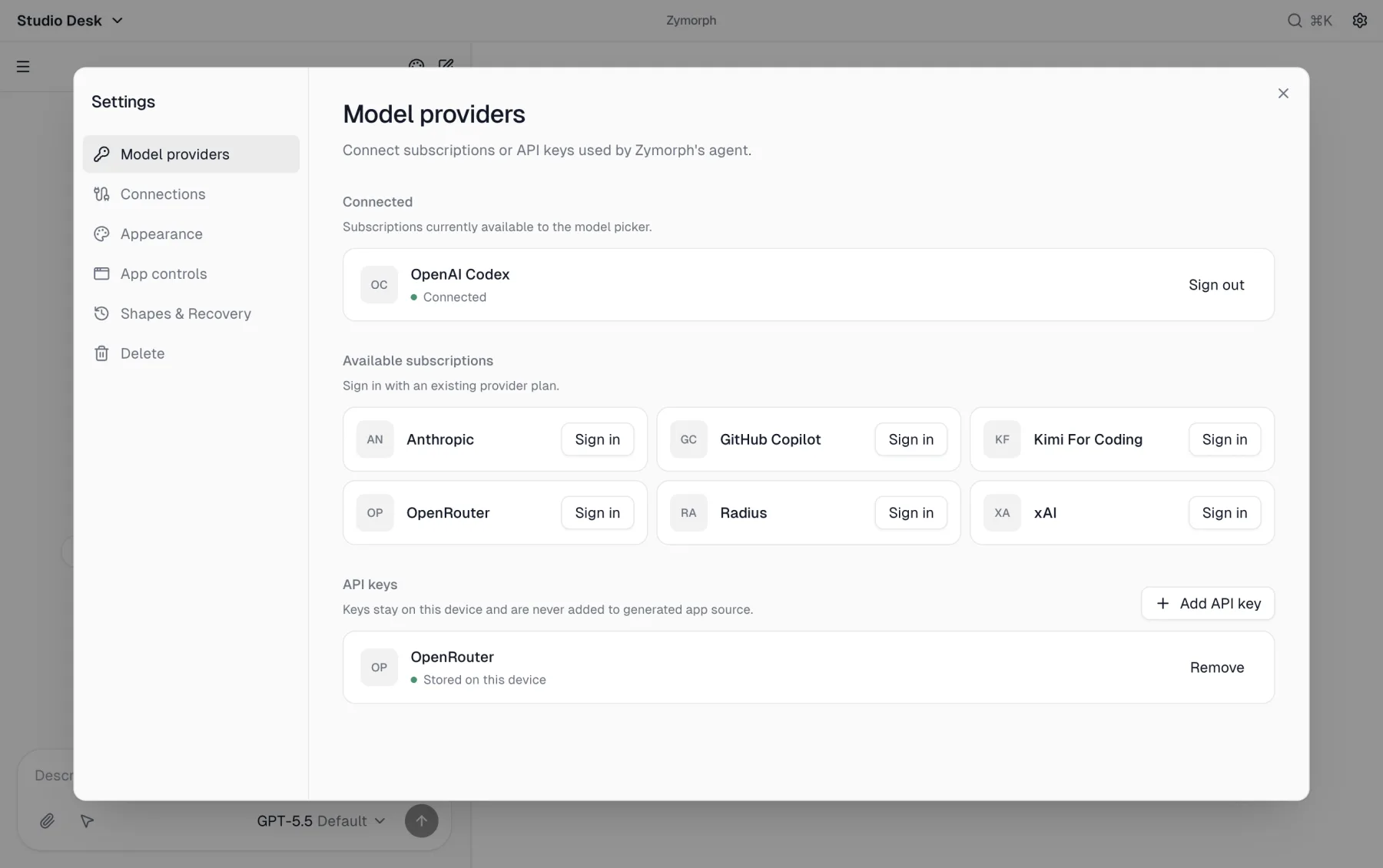 Keys stored by Zymorph stay on this device and are not added to generated app source.
With BYOK, the provider bills model use directly to the account that issued the key. Before using it:
- review per-model pricing;
- set a spending limit or alert when available;
- understand data-retention and training settings;
- use a dedicated key rather than a widely shared one.
Choose a model
Select the model name below the composer. Search by model/provider or use the provider filter.
We recommend signing in with an OpenAI Codex subscription and selecting GPT-5.6 Sol.
A different model can change speed, cost, supported context, and the quality/style of results. Switching models affects the next work; it does not rewrite the app by itself.
Thinking levels
Some models offer Thinking choices such as Default, Low, Medium, or High.
A higher level may spend more time or provider resources before answering. Use the default for ordinary edits and consider a higher level for a difficult redesign or diagnosis. It is not a guarantee of a better result.
Sign out or remove a key
- Select Sign out beside a connected subscription.
- Select Remove beside a stored API key.
These actions remove local model access. For an exposed API key, also revoke or rotate it in the provider account.
Fix common provider problems
No models appear
Confirm that a subscription or key is connected, reopen the model picker, and clear its search/filter.
Credits, quota, or billing error
Open the provider account and check credits, payment method, usage limit, and whether the selected model is available to that account. Zymorph cannot add provider credit or change provider billing.
Wrong model selected
Open the picker before resending. The selected model name is always shown in the composer.