Start here
Welcome
Learn what Zymorph does, where to begin, and what stays under your control.
Zymorph in one minute
Zymorph helps you create a practical app by describing what you need in ordinary language. It is not a low-code builder or workflow editor, and there is no visual workflow canvas to configure. You do not choose a template, write code, or prepare a technical specification. Describe the work, try the app that appears, and keep asking for changes until it fits.
The window has two working areas:
- Conversation on the left. Tell Zymorph what to create or change.
- Your app on the right. Use the result as a real app—add information, search, open pages, and check whether it works the way you expected.
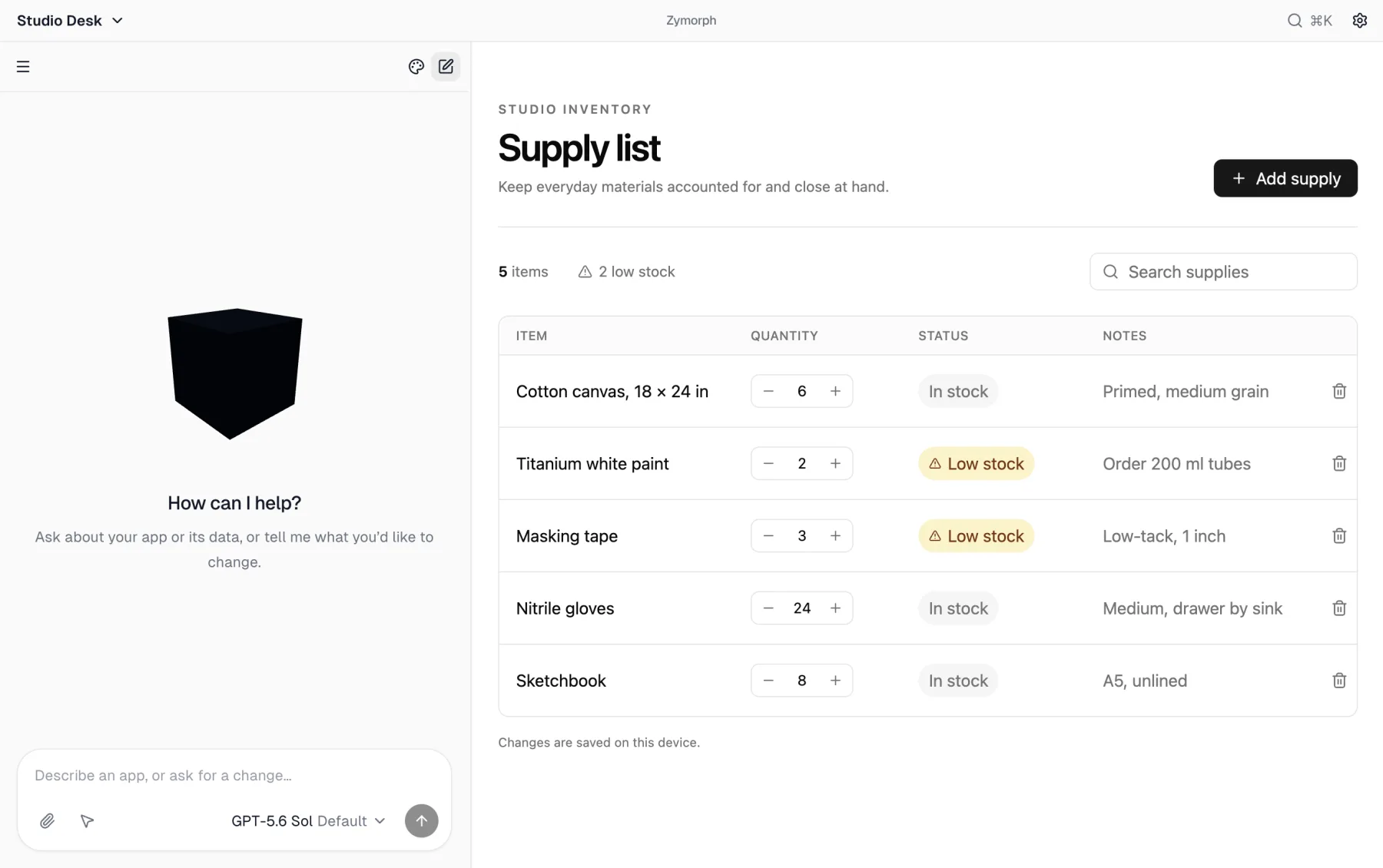 The conversation and your working app stay side by side.
You can also ask questions about Zymorph in the conversation, such as “How does Recovery work?” or “Where do I change the model?” The assistant uses documentation included with your installed version and links to the relevant guide. Answers still require a working model provider.
What to do first
If you have just opened Zymorph, follow Getting started. You will:
- name your first app and choose its starting design;
- connect your own supported model subscription or API key;
- describe the app;
- try the result;
- ask for one specific improvement.
A small first version is better than a long wish list. You can add the next idea after you have something concrete to try.
What stays under your control
Zymorph separates different types of access instead of treating them as one broad permission.
| Access type | What it is for |
|---|---|
| Model provider | Understands your requests and helps Zymorph create or change the app. |
| Connected account | Lets one app perform approved work with an account such as Google Drive. |
| Private app value | Supplies a key requested by one app without placing it in chat or app source. |
| Folder access | Lets one app read, or read and change, a folder you explicitly choose. |
Your apps and their working data are local by default. Creating or changing an app still requires the selected model provider, and an app may use the internet or an external account when you have asked for that behavior and approved the access.
Good to know Zymorph does not include model access. Connect your own supported subscription or API key. Model subscriptions, API usage, and third-party services may have their own charges and privacy terms. Zymorph shows which model is selected, but the provider controls its plan and billing.
If you are worried about making a mistake
You have several ways back:
- Ask Zymorph to correct a result that is not right.
- Restore the previous design after changing an app’s design.
- Use a Recovery point before a larger experiment.
- Move an app to Trash first; permanent deletion is a separate action.
Recovery points and source versions protect different things. Read Recovery and source versions before a major change so you know exactly what will return and what will stay current.
Where to go next
- New to the app? Start with Getting started.
- Want a tour? See The Zymorph interface.
- Need to connect your subscription or API key and understand provider costs? Read Model providers.
- Concerned about files or accounts? Read Your apps and data.