Settings and safety
Recovery, checkpoints, and Shapes
Protect complete app state, understand what stays current, and use source-only history correctly.
Two different histories
Settings → Recovery & checkpoints contains two rollback tools:
Recovery point
Returns app source and durable app data together.
Use before a major experiment or when you need a complete local return point.
Source checkpoint
Returns app source only. Durable app data does not move back.
Use for a lighter interface or behavior checkpoint.
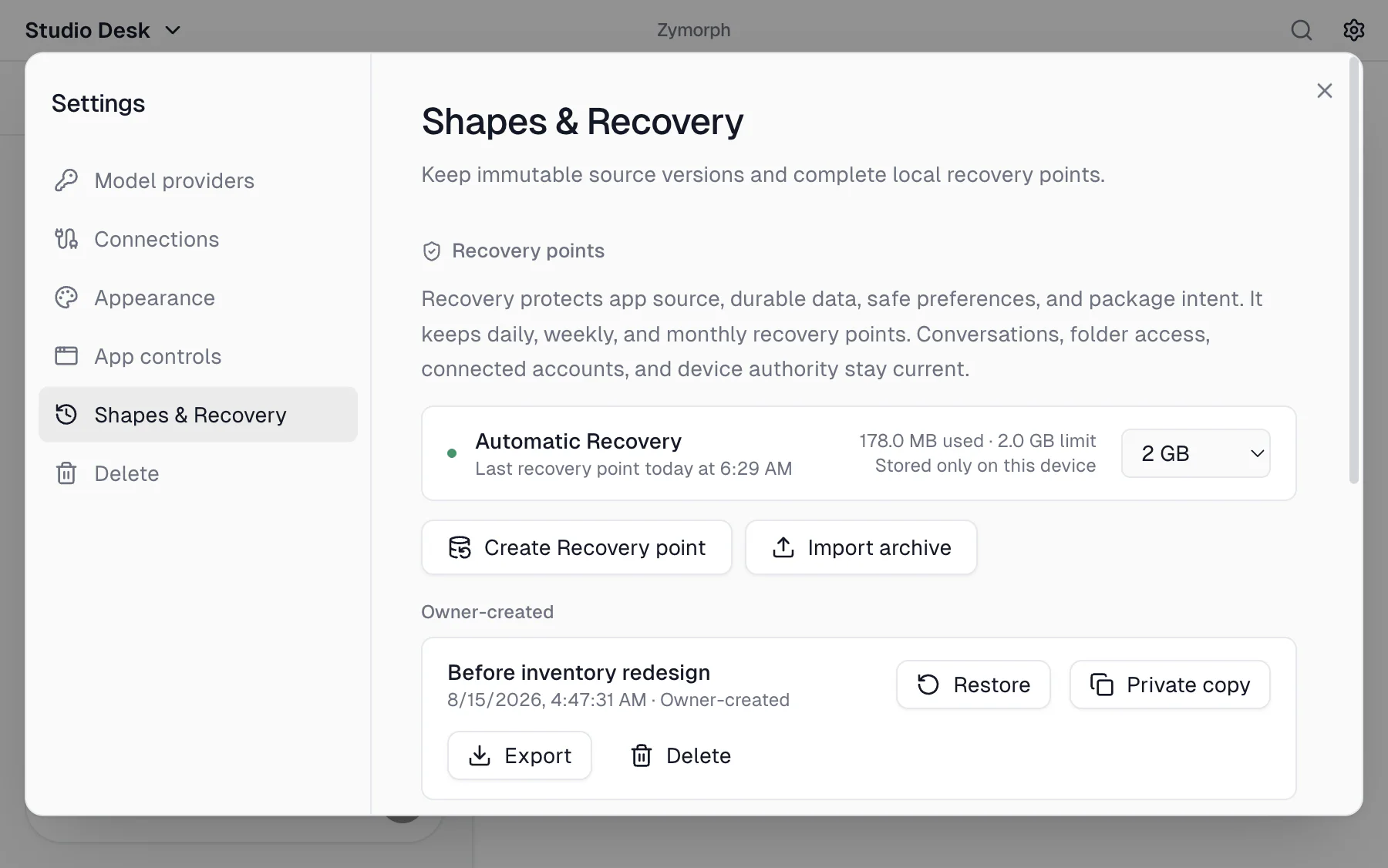 Automatic Recovery is active, and each Recovery point has its own restore, private-copy, and export actions.
Automatic Recovery
Zymorph creates local Recovery points while the app is idle and keeps daily, weekly, and monthly history within the configured storage limit.
The status shows:
- when the last point succeeded;
- local storage used and the limit;
- whether protection is active, reduced, paused, or unavailable.
Recovery points are stored only on this device unless you explicitly export an archive.
Create a Recovery point
Before a major redesign or data-changing experiment:
- open Settings → Recovery & checkpoints;
- select Create Recovery point;
- wait for the success message before continuing.
An owner-created point appears separately from automatic protection and can be deleted when no longer needed.
Restore a Recovery point
When you restore:
- app source and durable app data return to the selected point;
- current conversations remain available;
- current folder access and connected-account permissions remain current;
- Zymorph starts a fresh conversation that records the restore.
Zymorph creates a safety point before replacing the app and checks that the restored app can start. If activation fails, it returns to the pre-restore state.
Because permissions stay current, review them after restoring an old version. The old app may not need access you granted later.
Open a private copy
Select Private copy to open a separate local app using the source stored in that Recovery point. Zymorph switches to the new app, while the original remains unchanged and available from the app menu.
The copy is treated as a new app and starts with its own local data. Conversations, folder grants, connected-account grants, and private values do not carry over from the original. Device-wide model providers and saved accounts may still be available, but the copy needs its own app-specific permissions.
A private copy does not replace or restore the original app. If the original is shared, the copy has sharing disabled and does not rejoin that shared app. Use it to inspect an older interface or behavior, reuse part of the recovered source, or experiment without changing the original.
Export or import Recovery
Export
- select Export beside a Recovery point;
- choose and confirm a Recovery password;
- choose where to save the archive.
Zymorph does not store this password. Without it, the archive cannot be imported.
Import
Select Import archive, enter the export password, and choose the archive. The archive must belong to the same app. It does not contain your conversations or device permissions. Importing on a fresh installation cannot recreate conversations from another installation.
Keep the archive and its password separately. Do not send either one through chat.
Use source checkpoints
Enter an optional label and select Create source checkpoint. Restore it when you want the earlier source while keeping current durable app data and conversations.
This can produce mismatches if newer data expects newer app behavior. Create a complete Recovery point first when uncertain.
A Shape is a signed published version of the app’s source. Publishing shares that app version with approved devices while their shared data stays intact. See Team collaboration.
Storage warnings
- Reduced history: older points may be removed as storage fills.
- Paused: free device space or increase the Recovery storage limit.
- Unavailable: reopen Zymorph and check App controls/support information.
A Recovery point on one device is not a substitute for a broader backup strategy for important work.